使用干布擦拭,禁用化学溶剂或液体。
Product
需要帮助?
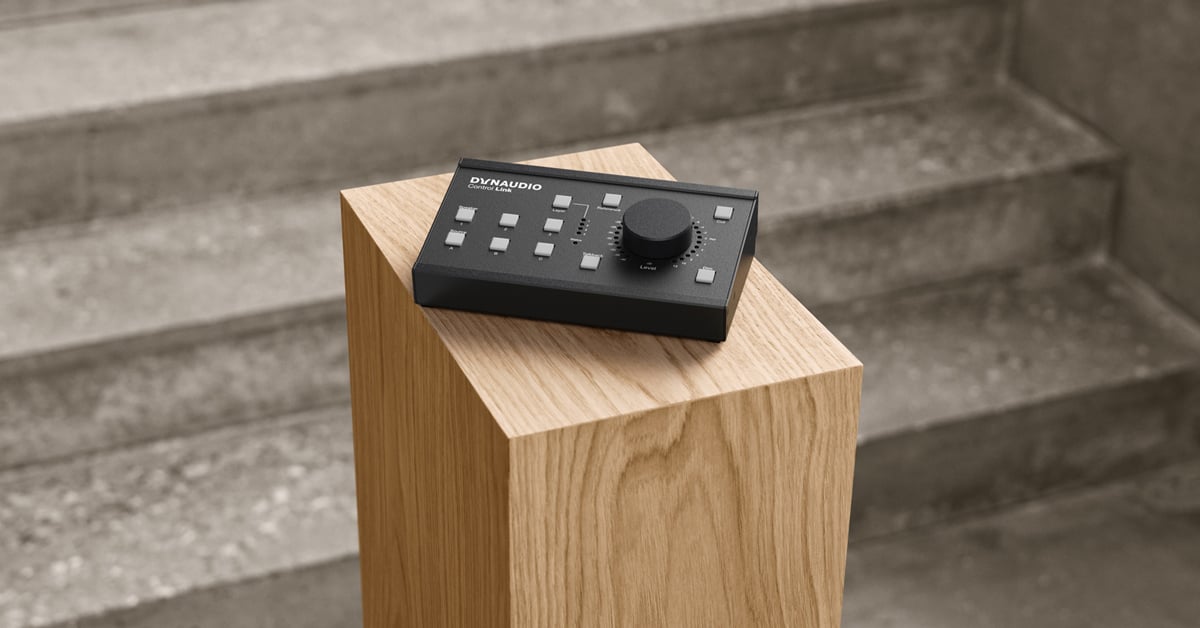
Where Great Sound Begins
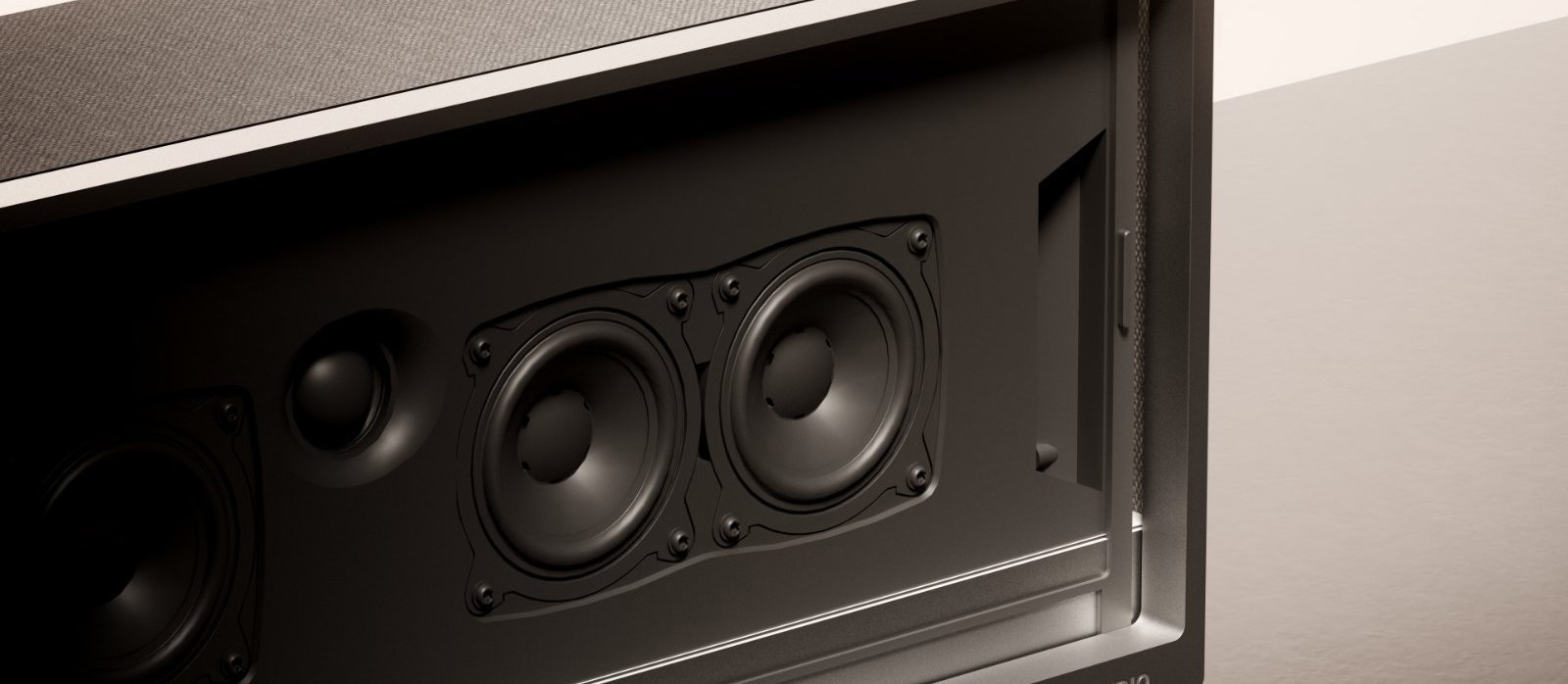
At Dynaudio, exceptional sound starts with the driver. Every diaphragm, voice coil, magnetic system, and tuning process is developed and refined in-house to ensure complete control over acoustic performance.
The 24 custom-engineered Hi-Fi drivers in Opus One are precisely positioned to form a true three-dimensional soundstage, including dedicated height and surround channels. Together they reproduce not only detail and dynamics, but also the space, emotion, and realism of every performance.

Living Wooden Fins
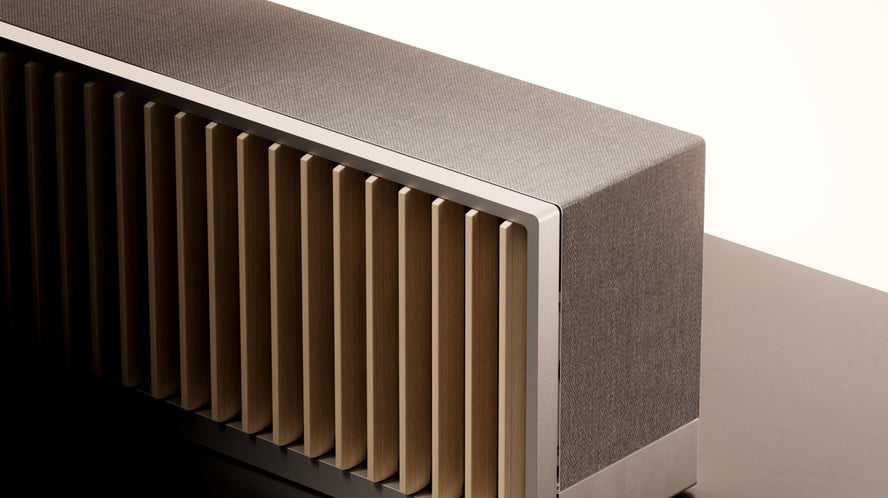
The 72 solid-wood fins are handcrafted by Karimoku, Japan’s renowned woodworking specialist. Made from carefully selected Hokkaido timber or sustainably sourced North American hardwood, each piece is individually finished to bring warmth and timeless character to the product.
Driven by 72 independent motors, the fins move gracefully in response to system status and user interaction. More than a design statement, they create a distinctive ritual that makes music both visible and tangible.

Interfaces
- 01 AC Power input
- 02 HDMI eARC port
- 03 Ethernet port
- 04 Line input
- 05 USB-C port
01
AC Power input
Use only the included power cable. Using a third-party power cord will void your warranty.
02
HDMI eARC port
Connect Opus One to your TV's HDMI eARC port with the included cable.
03
Ethernet port
For wired network connection.
04
Line input
3.5 mm stereo analogue audio input.
05
USB-C port
Service only.
Buttons and Control
- 01 Multi-function button
- 02 Volume down button
- 03 Volume up button
- 04 Combination buttons
Multi-function button
- Power on or wake up Single press.
- Pause or resume Single press.
- Skip to the next track Double press.
- Skip to the previous track Triple press.
- Enter standby mode Long press for 3 seconds.
- Enter pairing mode Long press for 7 seconds.
Volume down button
- Volume down Single press to decrease volume stepwise. Long press to decrease volume continuously and rapidly.
Volume up button
- Volume up Single press to increase volume stepwise. Long press to increase volume continuously and rapidly.
Combination buttons
- Force restart Press and hold “Multi-function” and “Volume down” simultaneously for 3 seconds.
Connections
After positioning Opus One in its intended location, or during the installation of the official Opus One stand (refer to the Opus One Stand Installation Manual), connect the system using the included cables.
Before you begin
- Disconnect your TV from any existing home theatre or external audio system.
- Connect external source devices, such as a streaming player or Blu-ray player, directly to your TV.
- Turn on your TV before setup.
步骤一
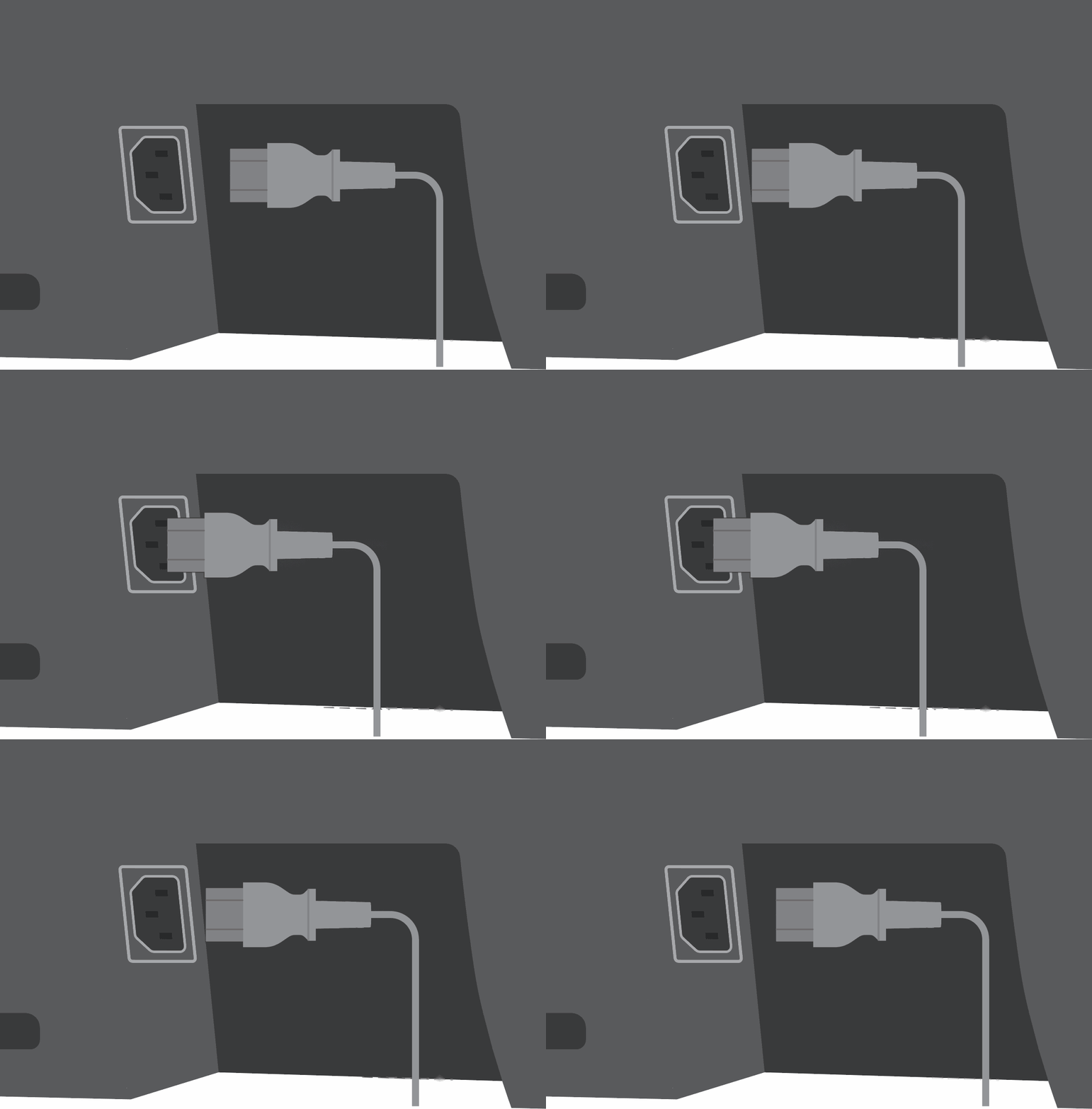
Connect Power
Connect the included power cable to the AC input port, then plug it into a grounded mains outlet (100-240 V~, 50/60 Hz).
For safety and optimal performance, use only the included power cable.
步骤二

Connect HDMI eARC
Connect the included A/V cable between Opus One and your TV's HDMI eARC/ARC port.
For the best audio experience, use an HDMI eARC connection. Depending on your TV model, HDMI-CEC may need to be enabled in the TV settings.
步骤三
Connect Ethernet (optional)
Connect an Ethernet cable for a stable wired network connection.
步骤四
Connect an external audio source (optional)
Connect an analogue audio source using a 3.5 mm stereo cable.
按键与控制
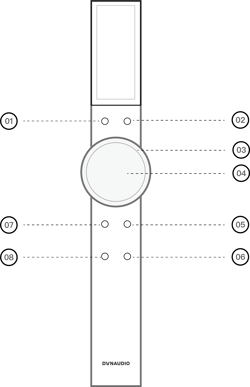
- 01 SOUND 音效键
- 02 POWER 电源键
- 03 滚轮
- 04 中心键
- 05 VOLUME 滚轮模式切换键
- 06 MUTE 静音键
- 07 BACK 返回键
- 08 HOME 主页键
01
SOUND 音效键
- 切换音效 单击“SOUND”键,遥控器屏幕显示音效切换界面。用于非Opus One界面(电视端显示)的音效切换场景。
02
POWER 电源键
- 唤醒 / 休眠 单击“POWER”键,可唤醒或休眠音箱。
- 强制重启遥控器 长按“POWER”键15秒,可强制重启遥控器。
03
滚轮
- 音量调节 滚轮默认功能为音量调节,用于控制Opus One的音量。
- 菜单选择 通过点击“VOLUME”键,滚轮退出音量调节模式,进入菜单选择模式。此时滚轮可以控制Opus One界面(电视端显示)的方向进行菜单选择。再次点击“VOLUME”,滚轮将回到音量调节模式。请注意,若进入遥控器屏幕操作,如点击“SOUND”切换音效或进入遥控器设置页面时,滚轮将自动进入菜单选择模式。此时若想调节音量,需点击“VOLUME”键,调节完后,再次点击“VOLUME”键。
04
中心键
- 确认 / 进入 在Opus One界面(电视屏幕上呈现)和遥控器屏幕界面操作时,点击中心按键进行选项确认或进入下级菜单。
05
VOLUME 滚轮模式切换键
- 滚轮功能切换 单击“VOLUME”键将切换滚轮的音量调节 / 菜单选择功能。
06
MUTE 静音键
- 静音 单击“MUTE”键可将Opus One静音。
07
BACK 返回键
- 返回 / 退出 Opus One界面和遥控器屏幕界面操作时,点击“BACK”进行返回或退出。长按“BACK”可在遥控器屏幕上实现直达遥控器的连接 / 设置页面,进行设备连接和遥控器设置。
08
HOME 主页键
- 回到Opus One界面 长按“HOME”键,可在电视端直接跳转至Opus One界面。该功能在不同型号规格电视上表现不同,可能会出现跳转未成功。
接口与界面
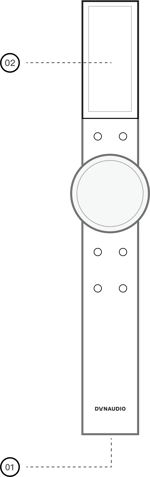
- 01 USB-C接口
- 02 屏幕
01
USB-C接口
- 充电 请使用5V 1.2A以下充电适配器。
- 房间校准 若无线网络环境较差需采用有线房间校准时,将此接口与Opus One的USB-C接口连接。
- 售后维护 用于设备售后维护
02
屏幕
- 显示 显示Remote状态与操控信息。
首次开机
Remote首次使用时需进行开机操作。
步骤一
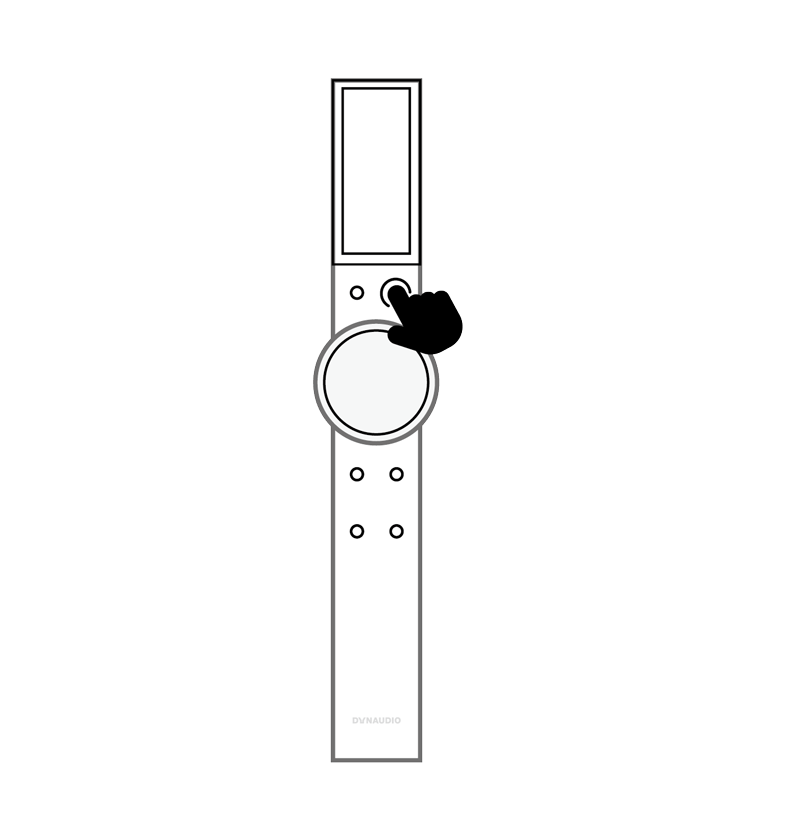
退出遥控器运输模式并开机
连接遥控器的 USB-C 接口至电源,长按POWER键2秒开机。
屏幕呈现开机动画后进入工作状态。
步骤二
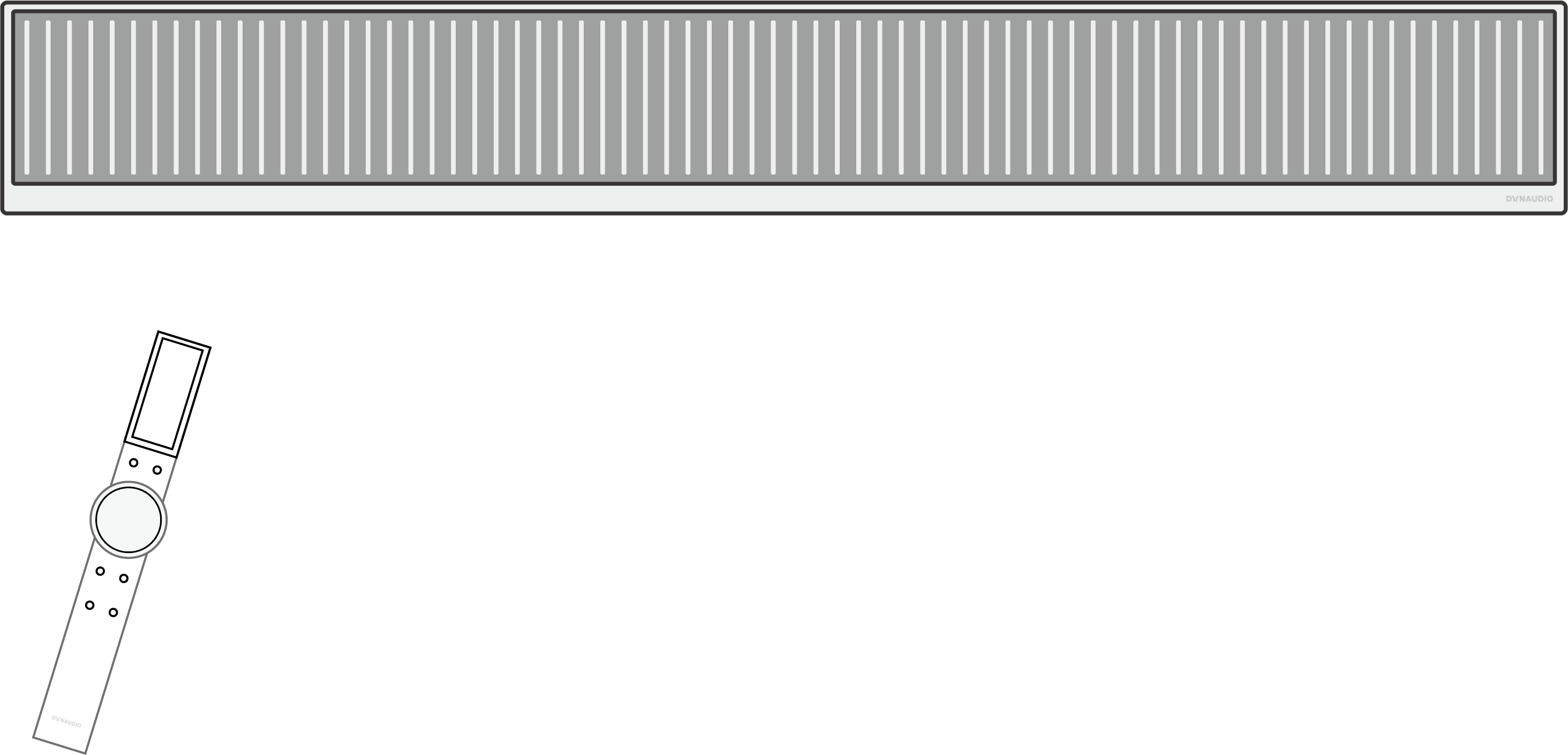
连接Opus One
确认要与Remote配对的 Opus One处于开机状态。
在Remote屏幕首页选择“连接”,遥控器将搜索附近可连接的Opus One。请确保Remote与Opus One间距离不超过10米。
通过旋钮控制选择目标音箱并点击中心键后,遥控器将自动完成配对。
步骤三
开始使用
连接成功后,Remote屏幕自动进入完成配对的音箱首页,显示当前播放状态及音量信息。
完成配对连接后,每次唤醒遥控器,将自动重连上次连接的音箱。
屏幕信息
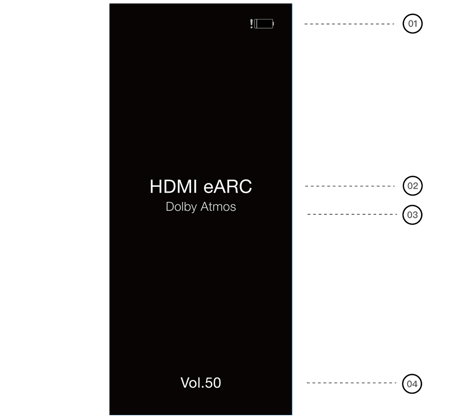
- 01 电量提示
- 02 输入源
- 03 音频格式
- 04 音量
01
电量提示
低电量时,此处显示低电量提示。电量充足时,此处不显示图标。充电时,此处图标变为
02
输入源
显示当前连接的输入源类型
03
音频格式
显示当前在播的音频格式
04
音量
显示当前音量,若通过点击“VOLUME”键使滚轮退出了音量调节模式,则此处显示菜单选择模式提示 ,直到再次点击“VOLUME”回到音量调节模式。